 Ashuku
Shrink videos to fit any chat.
Trim, compress and send videos to Messenger, Google Chat and Instagram. Each one comes out sized for that app's limits, right on your phone.
Android 10+ · 64-bit · No ads, no tracking, no internet permission.
From camera roll to chat in seconds
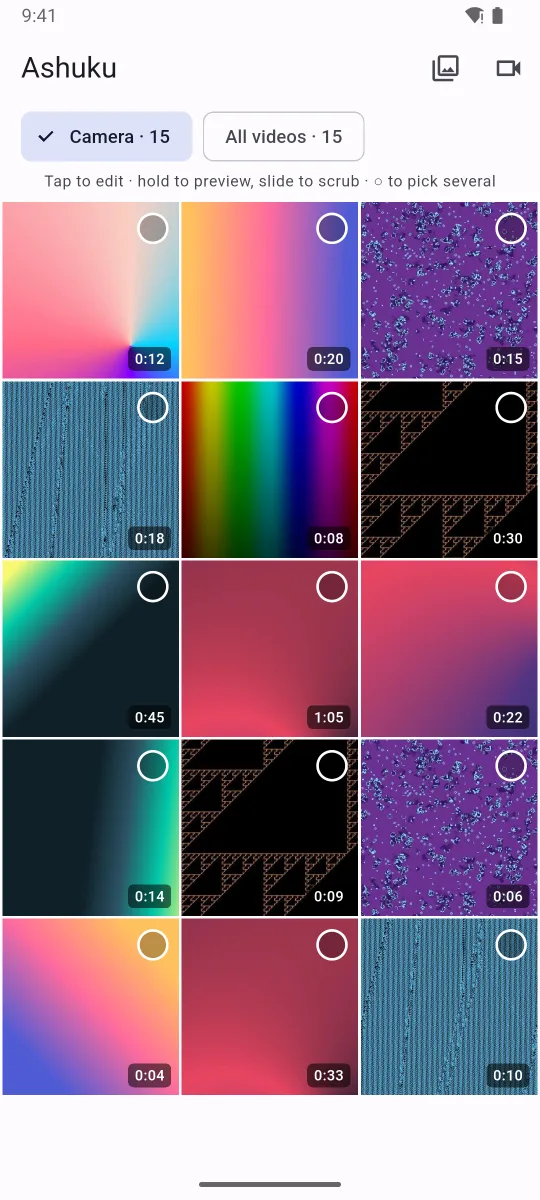
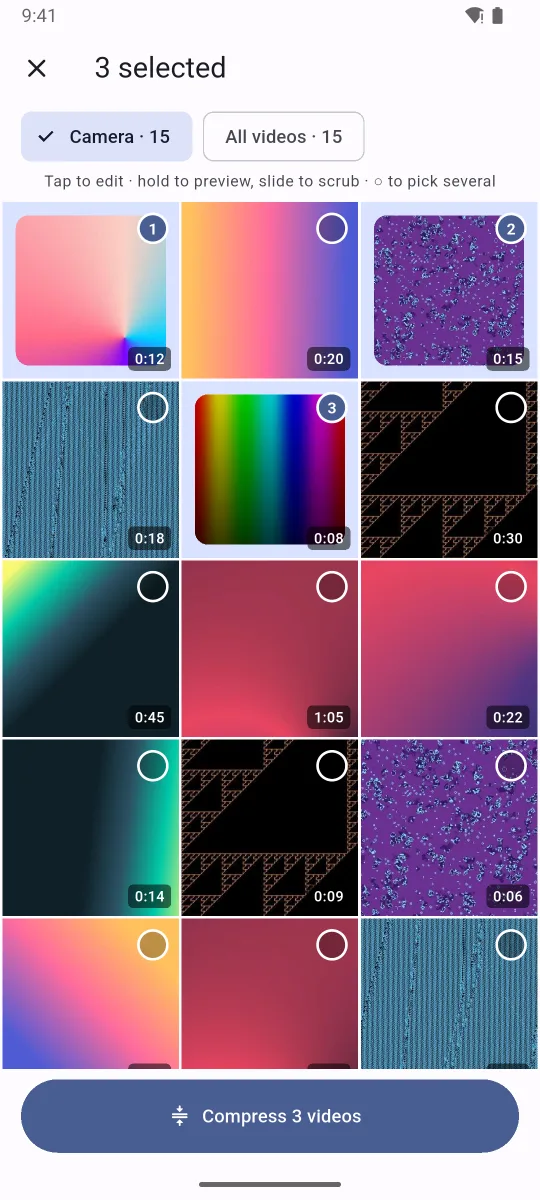
Browse your videos, preview them by holding, trim, and send. Pick several and they're compressed and sent together.
Small files, without the guesswork
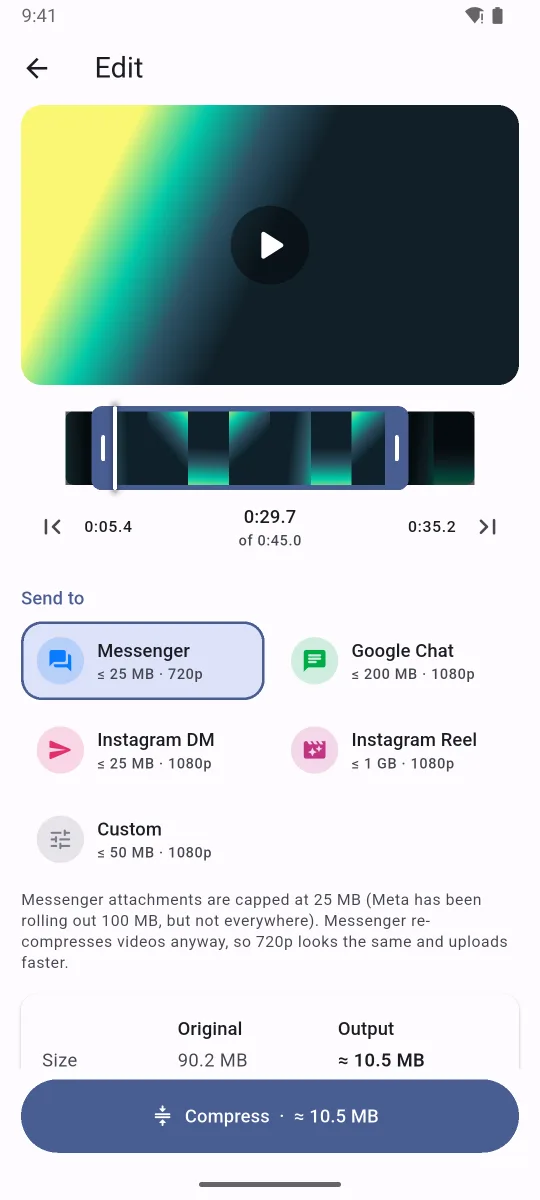
Ashuku works out the bitrate and resolution from the size limit and the clip's length. You just choose where it's going.
Fits the limit, every time
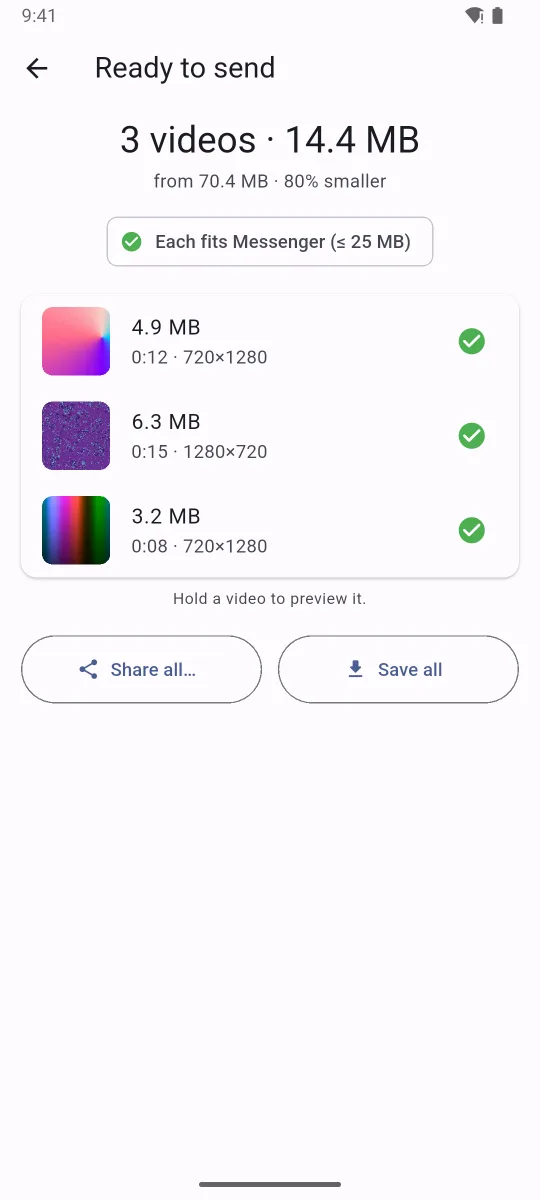
It aims just under the size cap and picks the sharpest resolution the budget allows. If the encoder overshoots, it quietly re-encodes.
Browse and preview
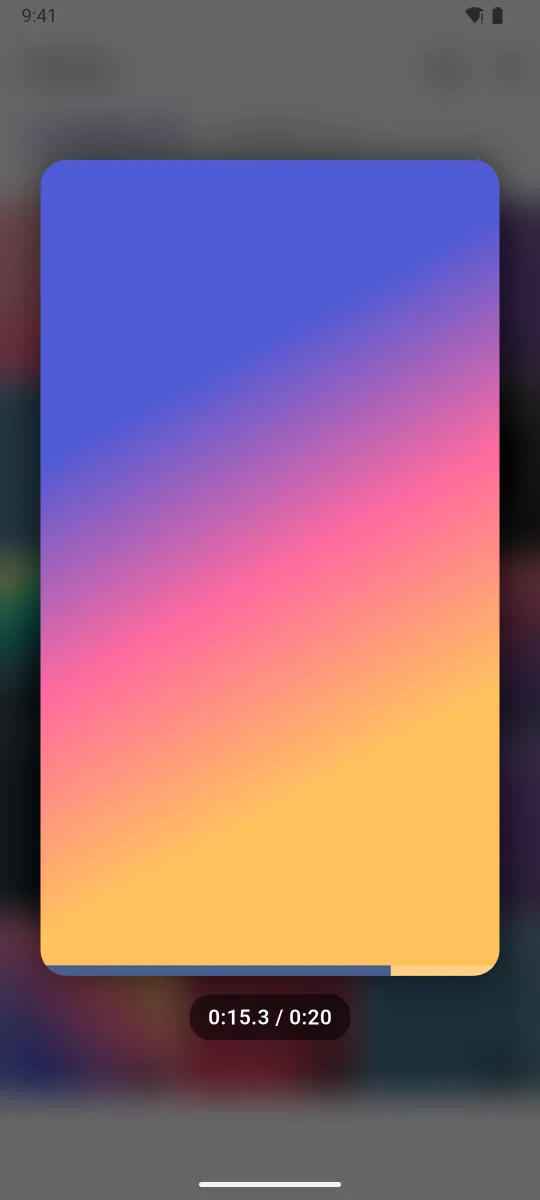
Your camera videos in a grid. Hold any of them to watch with sound, and slide sideways to jump through it.
Precise trimming
Drag the filmstrip handles, or set the start and end at the playhead. Clips that are too long for a preset get a one-tap fix.
Batch and send all
Select several videos, compress them in one go, and share them together, or straight to Messenger or Google Chat.
Fast and on-device
Uses the phone's hardware encoder. A 4K clip shrinks in seconds, and HDR is converted so it looks right in every chat.
Private by design
The app has no internet permission at all. Your videos never leave the phone until you share them yourself.
Presets for where it's going
Each preset knows its app's limits. You can still adjust the size, resolution, frame rate and audio yourself.
| Send to | Size limit | Resolution | Notes |
|---|---|---|---|
| Messenger | 25 MB | up to 720p | Messenger re-compresses anyway, so 720p looks the same and sends faster. |
| Google Chat | 200 MB | up to 1080p | Anything bigger would need a Drive link. |
| Instagram DM | 25 MB · 60 s | up to 1080p | Sent to Instagram's Messages directly. |
| Instagram Reel | 3 min | 1080p, high bitrate | Instagram re-encodes on upload, so it gets the best source. |
| Custom | 5 MB – 2 GB | auto or fixed | Your numbers. |
Limits as of September 2026. Apps change them now and then, and the presets are easy to update.
How it works
Three steps, no settings to learn.
Pick
Choose from your camera roll, record something new, or share a video from Google Photos into Ashuku.
Choose where it's going
Tap Messenger, Google Chat or Instagram. Trim if you like, and the estimate updates as you go.
Send
Compress, then send straight to the app, share anywhere, or save a copy to your gallery.
Install
Ashuku isn't on the Play Store. Install it from GitHub Releases instead.
- Download the latest APK on your phone.
- Open it. If Android asks, allow your browser or file manager to install apps.
- To update, download the new version and install it over the old one. Nothing is lost.
flutter build apk.